

A release that has shipped for months suddenly will not publish. Play Console shows a policy warning about the Google Play Billing Library, and the deadline in it is closer than expected. The code is unchanged, in-app purchases still work for existing users, and yet the next update cannot go out.
That is how Billing Library deprecation behaves. Nothing breaks for live users; the ability to ship stops. This guide covers what the requirement means, which version your app actually uses, how to upgrade without breaking purchases, and what to check when the warning will not clear.
What Is Google Play Billing Library?
The Google Play Billing Library is the client-side library that lets an Android app talk to Google Play's billing system. It handles what cannot be done in your own code: showing products, launching the purchase flow, receiving results, acknowledging delivery, and consuming consumables.
It supports one-time products, including consumables, and subscriptions, which renew automatically until cancelled. Google describes the lifecycle plainly: show what can be bought, launch the purchase flow, verify on your server, grant content, then acknowledge — and consume consumables so they can be bought again.
Two notes that matter when you upgrade. The library is only present in apps declaring the com.android.vending.BILLING permission. And Google recommends one active BillingClient connection at a time, opened when the app reaches the foreground, to avoid duplicate purchase callbacks.
Why Does Google Require Supported Billing Library Versions?
Every version has a two-year deprecation cycle, documented since Google announced the policy in 2019. A client library talking to a live payment system has to keep pace with server-side changes, security fixes, and new Play features.
The consequence is narrow. Google's deprecation FAQ states that unmaintained APKs do not need updates and that existing apps still work — but new apps and updates must use a supported version. Read that in both directions: existing users are not cut off, and you still cannot publish on an expired version. The first half is reassurance, not permission.
Staying current keeps you compatible with Play's billing changes, gives access to newer APIs, and preserves your ability to ship. The alternative is discovering the deadline during a release you cannot postpone.
Understanding the Play Console Billing Library Warning
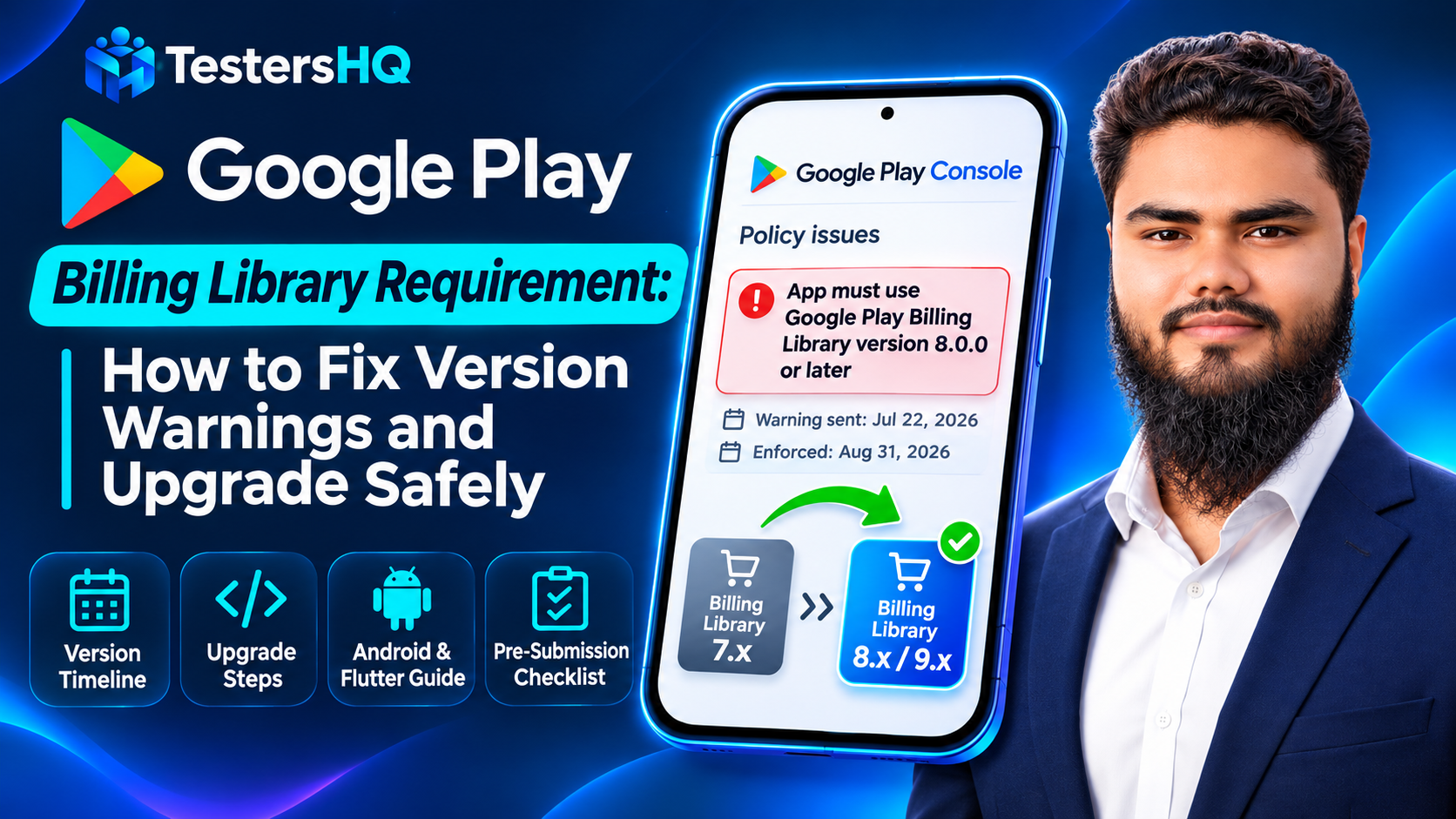
Play Console raises the warning when the uploaded artifact uses a version whose deadline has passed or is approaching. A representative example — from a screenshot supplied for this article, not a universal message — reads:
“App must use Google Play Billing Library version 8.0.0 or later”
Warning sent: July 22, 2026 · Enforcement date: August 31, 2026
Three things to take from it, and one not to:
- What it means. After the enforcement date, updates below the stated minimum cannot be published. That date matches version 7's deadline, which is why that build was told 8 was the floor.
- Why you got it. The uploaded artifact contained a version below the minimum — from a dependency added years ago, or a plugin pulling the library transitively.
- Check your own console. Your warning, date and minimum come from your app's current release. Read Policy status.
- Do not read 8.0.0 as "newest". It was the minimum that message required. The release notes list newer versions, including 9.1.0. Choose a supported version that fits your integration.
Google Play Billing Library Version Support Timeline
These are the deadlines published in Google's deprecation FAQ at the time of writing. Check this before planning a release; it does change.
| Version | New apps and updates deadline | Extension deadline | Practical reading |
|---|---|---|---|
| 5 | August 31, 2024 | November 1, 2024 | Long past |
| 6 | August 31, 2025 | November 1, 2025 | Long past |
| 7 | August 31, 2026 | November 1, 2026 | Blocks updates after the deadline |
| 8 | August 31, 2027 | November 1, 2027 | Current supported minimum |
| 9 | August 31, 2028 | November 1, 2028 | Longest runway |
The extension deadline is a later, separate date. If your app is on an unsupported version you receive a Play Console warning, and its details page on Policy status is where the extension form lives. Confirm the current table before promising a date to anyone.
How to Check Which Billing Library Version Your App Uses
Four things get confused here, and only the last matters to Play. The version you declare, the version Gradle resolves, the version inside the final artifact, and the version Play Console recognises are four different answers that can disagree.
| Method | What it tells you |
|---|---|
| Gradle file | What you intended. Says nothing about conflicts or transitive upgrades |
| Dependency report | Every configuration's dependency tree, including transitives |
dependencyInsight | Why one module resolved to the version it did — the fastest way to find who won |
| Android Studio | The external libraries view, useful for a quick read but not a build record |
| Merged manifest | The metadata that reaches the artifact, after manifest merging |
| Final APK or AAB | What you actually upload — the only thing Play can see |
The dependency line itself names a version you choose from the current support table:
dependencies {
    implementation("com.android.billingclient:billing:8.0.0")
}
To see what actually resolved across your build:
./gradlew :app:dependencies --configuration releaseRuntimeClasspathAnd to find out why one module landed on a particular version:
./gradlew :app:dependencyInsight --dependency com.android.billingclient --configuration releaseRuntimeClasspathAdapt the module name, variant and configuration to your project. A multi-module app needs the module that produces the release artifact.
How to Upgrade Google Play Billing Library Safely
- Commit the working state so the upgrade is revertible.
- Find the resolved version today, not your memory of the dependency file.
- Read the migration guide for the version you are moving to.
- Update the dependency — or the plugin supplying it — to a supported version.
- Resolve removed and changed APIs, compiling as you go.
- Build the release variant you intend to ship.
- Inspect the resolved dependency and merged manifest.
- Test the purchase flows your product types use.
- Verify the final artifact before upload.
- Submit through a testing track first.
Important Changes When Migrating to Billing Library 8
Version 8 removed APIs deprecated earlier. Which bite depends on the version you come from and how much of the older surface your code touched.
| Removed in version 8 | Replacement documented by Google |
|---|---|
querySkuDetailsAsync | queryProductDetailsAsync |
queryPurchaseHistoryAsync | The documented Query Purchase History guidance; past purchases are no longer available from the client |
enablePendingPurchases() without parameters | enablePendingPurchases(PendingPurchasesParams) |
queryPurchasesAsync(String skuType, ...) | queryPurchasesAsync(QueryPurchasesParams, ...) |
setOldSkuPurchaseToken, setReplaceProrationMode, setReplaceSkusProrationMode | setOldPurchaseToken, setSubscriptionReplacementMode |
| Alternative billing builder and listener types | enableUserChoiceBilling, UserChoiceBillingListener, UserChoiceDetails |
Two further changes matter. The onProductDetailsResponse signature changed, so queryProductDetailsAsync needs updating even if you never used SKU APIs. Version 8 also added optional automatic service reconnection.
Version 9 continues the same path: legacy SKU types, SkuDetails and its params, and QueryPurchaseHistoryParams are gone, replaced by products and queryPurchasesAsync. Pick your target version first, then read that version's guide.
What Flutter Developers Should Check
Flutter apps usually reach the Billing Library through in_app_purchase and its Android implementation, in_app_purchase_android. The Dart package version is not a statement about the native library — it reflects which native version the plugin pinned when it shipped.
The package's migration guide is the reliable source. As documented, in_app_purchase_android 0.5.0 moved to Billing Library 8.0.0 and removed queryPurchaseHistory, because the native method was removed upstream — with queryPurchases for active purchases and the Google Play Developer API for historical records.
No plugin version universally guarantees a given Billing Library version, so check:
flutter pub deps --style=compactThat shows your Dart dependency graph. The native library sits below it, in the Android build, so confirm it from the Android side — from your Flutter project's android/ directory:
./gradlew :app:dependencyInsight --dependency com.android.billingclient --configuration releaseRuntimeClasspathExpect upgrading the plugin to change behaviour, not just a version string. Removing purchase-history access is exactly the kind of change that compiles cleanly and then fails in a real flow, so plan testing time for it.
How to Fix the Warning When You Have Already Updated
Google documents one specific check for this symptom, and it is worth doing first. Confirm that your AndroidManifest.xml contains com.google.android.play.billingclient.version. If the attribute is missing, investigate whether manifest merging removed it — for example because a library declares its own manifest or a merge rule strips the node.
Do not add arbitrary metadata before you understand why it is absent. The attribute normally arrives from the library itself; bolting it on by hand hides the cause and can misreport the version your app uses.
Beyond that documented fix, these are practical troubleshooting steps rather than official guidance:
- Was the right artifact uploaded? A different variant, stale bundle, or build from another branch carries the old library.
- Was it the right track and release? Confirm which release the warning refers to.
- Is something pulling an older version transitively? A dependency requiring an older library can win resolution if nothing constrains it.
- Is another module or plugin responsible? Each can declare its own dependency.
- Has the check re-read the release? Warnings do not always clear the instant a rollout publishes.
How to Test In-App Purchases After Upgrading
Test coverage depends on which product types you sell — not every row applies to every app.
| Scenario | What to confirm |
|---|---|
| Product loading | Products and offers resolve after the API signature change, with correct prices and currency |
| Purchase initiation | The purchase sheet opens for the right product, including subscription offers |
| Successful purchase | Server verification succeeds and entitlement is granted once, not twice |
| User cancellation | The app returns to a usable state with no stuck spinner and no false entitlement |
| Pending purchase | Pending is handled rather than dropped, and completes when the payment resolves |
| Acknowledging | Every purchase is acknowledged after delivery, so it is not refunded automatically |
| Consumables | Consumed correctly so the same item can be bought again |
| Subscriptions | Upgrade, downgrade and replacement modes behave as intended after the API rename |
| Restore or existing purchases | Entitlements recognised on a fresh install, without purchase history APIs |
| Network interruption | The app recovers and re-queries rather than leaving a purchase in an unknown state |
Test on a real device with a test account rather than trusting a clean compile. For wider coverage, the real device testing guide covers hardware choice, and the bug report guide covers recording what fails.
Common Mistakes to Avoid
| Mistake | Why it matters | Correct approach |
|---|---|---|
| Trusting the dependency line | Resolution and plugins override it | Check the resolved version and the final artifact |
| Copying a version from a blog | Supported versions move twice a year | Pick from Google's current support table |
| Shipping without testing purchases | Removed APIs fail in flows, not compilation | Run the scenarios your product types need |
| Adding the manifest attribute manually | Can misreport the version | Investigate manifest merging first |
| Reading 8.0.0 as the maximum | It was a minimum in one warning | Separate minimum supported from newest |
| Assuming a Flutter plugin version implies the native library | The pinned version differs per release | Inspect the resolved Android dependency |
Pre-Submission Checklist
- Target version chosen from Google's current support table, not an old article.
- Working state committed before the dependency change.
- Resolved version checked for the release configuration.
- Merged manifest contains
com.google.android.play.billingclient.version. - Release variant built, and the same variant verified before upload.
- Purchase scenarios for your product types tested on a real device.
- Subscription replacement, pending purchases and restores behaving as before.
- Acknowledgement and consumption still correct.
- Update submitted through a testing track before full rollout.
- Policy status checked after rollout to confirm the warning cleared.
Frequently Asked Questions
What is the minimum Google Play Billing Library version?
It depends on the date and Google's table. With version 7's deadline of August 31, 2026 passed, version 8 is the floor; version 9 becomes the floor at version 8's deadline.
Is Billing Library 8.0.0 still supported?
Yes, per the schedule current at the time of writing: version 8 has an August 31, 2027 deadline and a November 1, 2027 extension.
Is Billing Library 9 the latest version?
The release notes list 9.1.0 as newest at the time of writing, with 9.0.0 before it.
Why does Play Console still show a warning after upgrading?
Google's documented check is whether AndroidManifest.xml contains com.google.android.play.billingclient.version, and whether manifest merging removed it. Also confirm which artifact and release the warning refers to.
How can Flutter developers check the native Billing Library version?
flutter pub deps gives the Dart graph; then run dependencyInsight for com.android.billingclient in the Android project.
Does changing the Gradle dependency guarantee the AAB contains the right version?
No. Transitive dependencies and plugins can change what resolves. Verify the final artifact.
Do I need to test in-app purchases again after upgrading?
Yes. Versions 8 and 9 remove APIs and change callback signatures, so flows can fail while the build succeeds.
Can an existing app continue working with an older Billing Library?
Google states existing apps still work and unmaintained APKs need no updates, but new apps and updates must use a supported version.
Official Resources
- Billing Library deprecation FAQ — the support timeline, extension deadlines, and the manifest check
- Billing Library release notes — the authoritative list of versions and changes
- Migrate to Billing Library 8 — removed APIs and their replacements
- Migrate to Billing Library 9 — the current migration guide
- Integrate the Play Billing Library — connection lifecycle, purchase flow, subscription states
- in_app_purchase_android migration guide — Flutter plugin to native library mapping
Conclusion
The Google Play Billing Library requirement is a version support deadline, not a rewrite. Understand three things and the warning stops being alarming: which version you actually ship, which versions are supported, and how to verify the artifact rather than the source.
The safe sequence is short: read the support table, audit what resolves, upgrade to a version you chose deliberately, fix the removed APIs, test the purchase flows your product types rely on, and verify the release artifact before uploading. When a warning persists, start with Google's manifest check and work back through the dependency graph.
Supported versions change on a fixed rhythm, so re-read Google's deprecation FAQ before each cycle rather than once. A billing upgrade is exactly the kind of change that compiles cleanly and fails in a real purchase flow, which is why TestersHQ exists — structured real-device testing with actionable feedback. See also the Android Vitals guide for stability after release. Nothing here guarantees Play Console approval.