

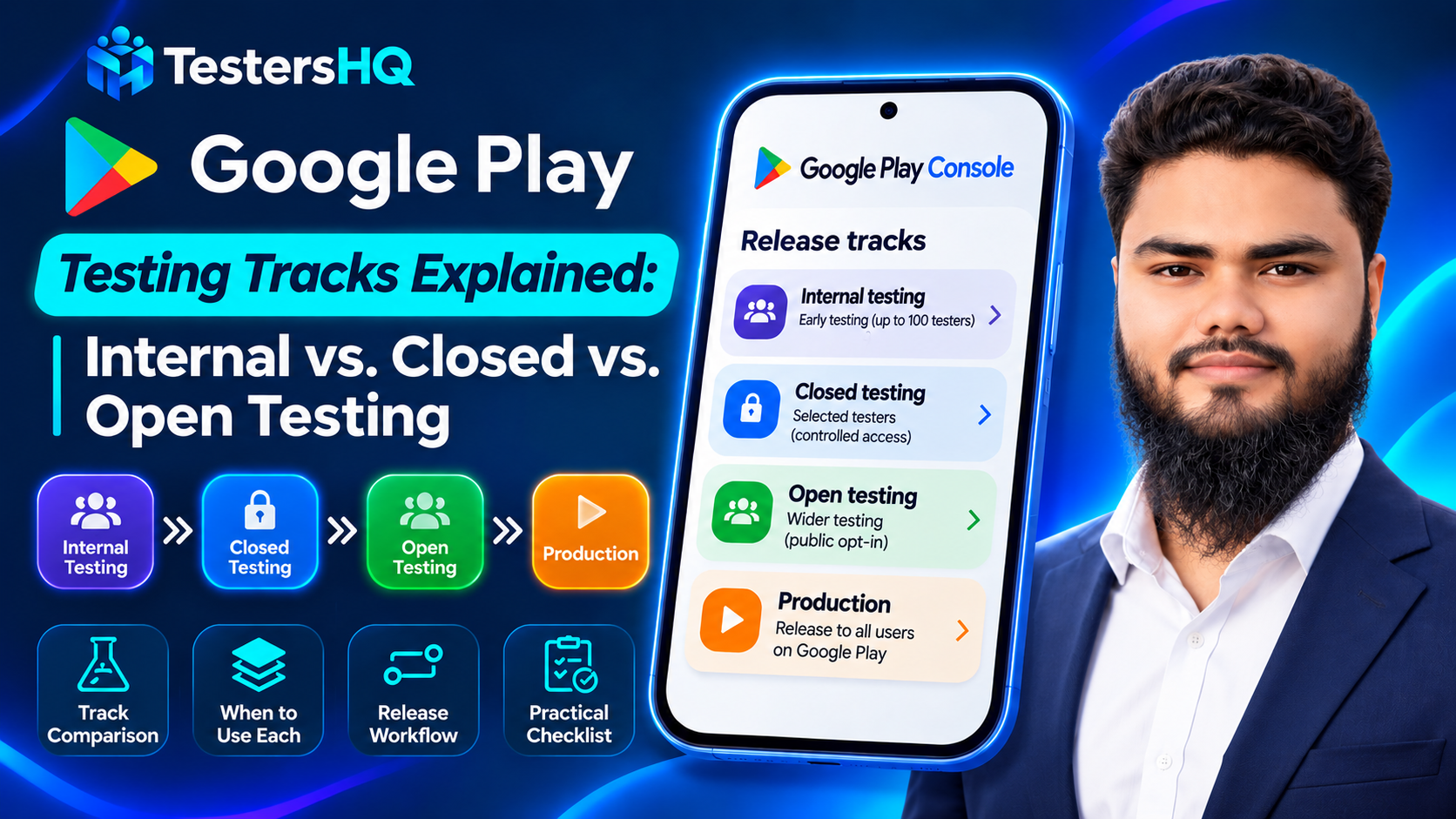
Two developers can upload the same Android App Bundle on the same afternoon and end up in completely different places. One gets a download link that works within minutes and reaches a hundred trusted testers. The other waits for a public listing to pass review. The difference is not code quality. It is which Play Console track they published to, and what that track allows.
Google Play testing tracks are distribution channels. Internal testing, closed testing and open testing each define who can install your build, whether the app is visible on Google Play, and what the public sees while you are still iterating. Production is the fourth stage, and it is not a test at all. Choosing between them is one of the few early decisions that affects your release schedule, your feedback quality and — for some accounts — whether you can reach production at all.
Most confusion comes from two sources. First, the names suggest a fixed ladder, when in practice Google requires certain steps only for certain accounts. Second, Internal App Sharing sounds like an internal testing track, but it is a separate build-distribution feature whose artifacts can never become a store release. This guide separates the four stages, compares them on the details that change decisions, and explains how the 12-tester, 14-day requirement fits in.
What Are Google Play Testing Tracks?
A release in Play Console is a combination of one or more app versions you prepare to launch or to roll out as an update. You can create that release in production, or on one of three testing tracks: open testing, closed testing and internal testing. The track is where the release lives; the app bundle is what testers actually install.
That distinction matters because the same bundle behaves differently per track. An internal test can be installed by up to 100 testers you list, from any country, without appearing in Google Play search. A closed test reaches a group you control and requires your app setup to be complete. An open test is visible on Google Play, so anyone who finds it can join. Production is public distribution to users in the countries you select.
Google describes the tracks as a way to gather feedback through development, and recommends starting with an internal test before expanding to a small group of closed testers. That recommendation is about quality, not compliance: the only track that is a hard prerequisite for most new developers is closed testing.
In one sentence: a testing track controls who can install your build and whether Google Play users can see it — nothing about the build itself changes between tracks.
The Four Google Play Release Stages
Internal Testing
Internal testing is the fastest way to get a build onto someone else's phone. You add testers by email list — up to 100 testers per app — and builds normally become available to them within minutes of being published. First-time uploads are available immediately, displaying temporary name and store listing information for up to 48 hours while Play processes the listing.
The feature that saves the most time is what you do not need: you can start an internal test before your app setup is complete. If your store listing, content rating or Data safety section is still unfinished, internal testing is available anyway. Internal tests can also run concurrently with closed and open tests, which makes them useful for validating a hotfix while a slower track is under review.
Two advantages are easy to miss. Internal testers can be located anywhere, even in countries where your other versions are not distributed, and they can install paid apps for free — though in-app purchases are still charged unless you add them as license testers. Device exclusion rules do not apply to internal testers either.
The limitations matter as much as the benefits. Google notes that internal tests might not be subject to standard Play policy or security reviews, and apps active on internal testing tracks are exempt from the Data safety section — so an internal test is not a rehearsal for review. More importantly, a user who opts into your internal test is no longer eligible to receive an open or closed test; they must opt out first. And internal testing does not satisfy the closed testing requirement for production access, however many testers you recruit.
Closed Testing
Closed testing is the track where serious feedback happens. Your app goes to a group you control, managed through email lists or Google Groups, and Play Console gives you a shareable opt-in link plus a feedback channel that testers see on that page. Unlike internal testing, closed testing requires your app setup to be complete.
Google documents the practical limits: up to 200 email lists per developer account, up to 50 lists per track, and up to 2,000 testers per list — with Google Groups recommended for larger audiences because groups have no size limits. You are not restricted to one closed track; additional tracks can be created and named, which is how teams test a stable branch and an experimental branch in parallel. Multiple closed tests can run at the same time, alongside one open test.
For an app that is already published, closed testing behaves differently in one respect worth knowing: only users in your test group receive updates for closed versions, so a closed release is a controlled update rather than a public rollout.
Open Testing
Open testing puts the test version on Google Play. Anyone who meets the applicable conditions can join, install the app and submit private feedback — private in the sense that it does not affect your public rating. The trade-off is exposure: Google's guidance is to confirm that your app and store listing are ready for public visibility before choosing this track, because users can now find you.
Access is the part developers most often get wrong. Google states that for personal developer accounts created after November 13, 2023, open testing becomes available after you gain production access. It is therefore not a shortcut around the closed testing requirement — it comes after it. If your account predates that change or is not a personal account, check what your own Play Console shows rather than assuming either rule applies.
Production
Production is not a testing stage: it is public distribution to Google Play users in the countries and regions you choose. Ratings, reviews and search visibility all apply. For eligible personal accounts created after November 13, 2023, production requires a closed test with at least 12 testers opted in continuously for the preceding 14 days, followed by an application in Play Console that asks about your closed test, your app and your production readiness. Google states that review usually takes seven days or less, but can occasionally take longer.
Practically, the difference between a testing release and a production release is not a switch. It is the audience, the obligations, and the fact that you can no longer adjust the store listing quietly while a mistake affects only a known group.
Google Play Testing Tracks Compared
The table below collects the details that change decisions. Where Google does not document a limit, the cell says so rather than inventing a number.
| Stage | Main purpose | Who can access | Tester limit | Visible on Play | Key restriction |
|---|---|---|---|---|---|
| Internal testing | Early QA on a build that is not ready for anyone outside the team | Email list you create and control | 100 testers per app (documented) | No | Does not count toward the 12-tester requirement; blocks that tester from open or closed tests until they opt out |
| Closed testing | Targeted feedback from a chosen group, and the track that unlocks production | Email lists, Google Groups, or an organisation you add | Lists hold up to 2,000 each; Google Groups have no size limit | No | Requires completed app setup; only the test group gets updates for a published app |
| Open testing | Scale a pre-release build to a public audience and collect private feedback | Anyone who joins the programme | No cap documented | Yes | For new personal accounts it unlocks only after production access |
| Production | Public release to real users, with ratings and reviews | All Google Play users in your chosen countries | Not applicable | Yes | Requires a qualifying closed test and an approved production access application |
Internal Testing vs. Closed Testing
The distinction is not audience size; it is what each track is for. Internal testing answers "does this build work?". Closed testing answers "is this app good enough for strangers?".
A payments team validating a checkout fix at 11pm wants internal testing: the build appears in minutes, no store listing is required, and the ten people who need it can install it without anyone seeing the app. A solo developer preparing for production access needs closed testing, because only opted-in closed testers count toward the 12-tester, 14-day requirement — and because the feedback they collect is what the production access application asks them to summarise.
Choose internal testing when you need speed, when app setup is incomplete, when the change is a hotfix to verify, or when the audience is colleagues who already know what to look for. Choose closed testing when you need feedback you can act on, when you want a controlled group that stays opted in, and when production access is the destination.
One sequencing detail trips people up: testers you put on the internal track cannot receive your closed test until they opt out of the internal one. If you are recruiting the same twelve people for both, ask them to leave the internal test first — otherwise the closed test link appears to do nothing.
Closed Testing vs. Open Testing
Both collect feedback from people outside your team. They differ on who gets in, who can see the app exists, and what kind of feedback you get.
Audience control. A closed test is a list you own. You know the names, you can cap the group, and you can remove a tester who stops responding. An open test is self-service: anyone who joins is in, and you cannot curate the mix of devices, languages or expectations.
Visibility. Closed testing stays off Google Play search. Open testing puts the test version in front of the store, which means your listing, screenshots and short description are now part of the test — a badly written listing gets you feedback about your listing, not your app.
Feedback. Testers you recruited tend to answer the questions you asked. Strangers tend to report what annoyed them, which is useful but noisier, and it arrives in whatever channel they prefer.
Access. This is the practical blocker: for eligible new personal accounts, open testing becomes available after production access, so it cannot be your first step. Closed testing is available once app setup is complete.
Internal Testing vs. Internal App Sharing
Internal App Sharing is not a testing track. It is a separate feature that uploads an app bundle or APK and gives you a download link, without creating a release on any track. Google is explicit about the consequences: uploaded artifacts are not shown in your app bundle explorer and cannot be included in releases on testing or production tracks.
That has a direct implication for anyone counting testers. Internal App Sharing does not satisfy the closed testing requirement, and installs through a sharing link are not closed test opt-ins. If production access depends on twelve opted-in testers, sharing links will not produce them.
What App Sharing is genuinely good at is unblocking a specific person quickly: version codes need not be new or unique, artifacts can be debuggable, and they can be signed with any key because Google re-signs them with an Internal App Sharing key. The costs are real, though — a single link serves at most 100 downloads and stops working 60 days after upload, and every tester must first enable internal app sharing inside the Play Store app by tapping the Play Store version seven times in Settings.
| Aspect | Internal testing track | Internal App Sharing |
|---|---|---|
| What it is | A testing track inside Play Console | A link-based build distribution feature |
| How testers get the build | Opt in, then install from Google Play with their account | Open the link and download, after enabling the setting in the Play Store |
| Version code | Must be new and higher than what is already uploaded | Can be reused; uniqueness not required |
| Signing | Play App Signing with your upload key | Any key; Google re-signs with an Internal App Sharing key |
| Can it reach production? | Yes — the release can be promoted to another track | No — artifacts cannot be included in any track release |
| Counts toward 12 testers / 14 days | No — that requirement is about closed testing | No |
| Practical limit | 100 testers per app | 100 downloads per link; the link expires after 60 days |
How to Choose the Right Testing Track
Most of the time the decision is already made by your situation. The table below maps common situations to the track that fits, and names the trap in each.
| Situation | Use | Why, and the trap |
|---|---|---|
| Store listing is still unfinished; three colleagues need today's build | Internal testing | Available before app setup is complete. Trap: those testers must opt out before they can join your closed test. |
| New personal account aiming at production; twelve real users needed | Closed testing | The only track whose opt-ins count. Trap: invites do not count until each tester actually opts in. |
| Approved for production, but you want a wider beta before a launch date | Open testing | Public visibility on Play. Trap: the listing is now part of the test, so polish it first. |
| A designer needs to see one screen on a real phone, ten minutes from now | App Sharing | No release required, no version bump. Trap: it cannot become a store release and never counts toward requirements. |
| Two builds to validate: a stable one and a risky experiment | Two closed tracks | Multiple closed tests can run at once. Trap: keep the tester groups distinct so feedback stays attributable. |
What you should not do is pick a track because it is faster. Speed is a property of internal testing and App Sharing, and both have structural limits that make them unsuitable as a route to production. The question is not "which track gets my build out quickest?" but "what am I trying to learn, and who needs to be holding this build to learn it?"
Recommended Testing Workflow
The sequence below is the progression Google recommends, adapted with the dependencies that actually exist in Play Console. It is a recommendation, not a mandatory universal path: a small team can legitimately move from closed testing straight to production, and internal testing is optional.
- Upload once, release internally. Publish a release to internal testing so your team can install it while app setup is still in progress.
- Fix the obvious breakage. Internal testing is for crashes, broken flows and device-specific surprises — not for opinions about your onboarding copy.
- Finish app setup. Complete the store listing, content rating, target audience and Data safety declarations. Closed testing requires this.
- Open a closed test with a group you can talk to. Use an email list or a Google Group, give testers a feedback channel, and ask them to stay opted in for at least 14 days if production access is your goal.
- Iterate on real feedback. Fix what testers report, then update the app in the closed track. Keep a written summary — the production access application asks what you changed.
- Apply for production access once your closed test has met the 12-tester, 14-day criteria. Answer the questions about your test, your app and your readiness honestly.
- Add open testing only where it helps. If you have production access and want a wider beta before launch, open testing gives you public visibility — treat the store listing as part of the release.
- Roll out to production gradually. Use a staged rollout so a bad build reaches a small share of users first.
Important: tracks can overlap. You may run several closed tests and one open test at the same time, and internal tests can run alongside them for different app versions — so this workflow describes a sensible order, not a queue.
The 12 Testers and 14-Day Requirement
This requirement applies to personal developer accounts created after November 13, 2023. Google states that these accounts must run a closed test with a minimum of 12 testers who have been opted in continuously for at least 14 days before the app is eligible for distribution on Google Play; until then, features such as Production and pre-registration stay disabled. Other account types — organisation accounts, and personal accounts created before that date — are not subject to this specific gate, so establish which situation you are in before planning around it.
Five details decide whether your closed test actually qualifies:
- Opt-in, not invitation. Adding an email address to a tester list does not start anything. The clock starts when the tester accepts the test and opts in.
- Continuity. Google is explicit that testers who opt in, test for fewer than 14 days and then opt out do not count, and that if a tester opts out and opts back in later, the 14 days must be consecutive to count.
- Internal testing does not substitute. Internal test opt-ins are not closed test opt-ins, and a user on the internal test must opt out before they can even receive your closed test.
- The minimum is not a guarantee. Meeting 12 testers for 14 days makes you eligible to apply — it does not make approval automatic. Google may ask you to keep testing if engagement was insufficient, and it reviews your answers about feedback and readiness.
- No shortcuts. Recruiting real testers who use the app is the requirement; artificial installs and manufactured activity do not produce the engagement the process is looking for, and misrepresenting your testing in the application is a policy matter.
For the mechanics — how the clock is counted, what counts as engagement, and what to do when the numbers look wrong — see the detailed guide to the 12 testers and 14-day rule and how to answer the production access questionnaire. Google's own wording is in the app testing requirements article.
Common Mistakes Developers Should Avoid
| Mistake | What it costs you | What to do instead |
|---|---|---|
| Treating Internal App Sharing as an internal testing track | Builds that can never be promoted, and no credit toward requirements | Use the internal testing track when you need a real release; use App Sharing only for one-off links |
| Assuming added email addresses mean opted-in testers | A 14-day wait that ends with fewer than 12 counted testers | Confirm each tester has accepted the invite, and ask them to stay opted in |
| Sharing the wrong testing link | Testers land on an opt-in page for a track they are not eligible for | Label your links by track, and check that internal testers have opted out before sending a closed link |
| Planning open testing as the first public step | It is unavailable until production access is granted for eligible new personal accounts | Satisfy closed testing first; add open testing afterwards if you want a wider beta |
| Ignoring device compatibility during the test | A smooth test that breaks on launch, on hardware nobody tested | Cover more than one manufacturer and API level; see our real device testing guide |
| Expecting the test link to work instantly | Confusing hours of propagation for a broken link | After publishing a test for the first time, allow several hours for the link to become available |
| Confusing a testing release with a production release | Expecting public reviews and installs for a build only a test group can see | Check the track badge and the distribution countries before assuming the app is live |
Practical Pre-Release Checklist
Run this before moving a build from one stage to the next. Every item is something Play Console will let you do badly if you do not check it yourself.
- Confirm which track the release is on, and who is currently eligible to install it.
- Verify the version code is higher than any existing release if you are using a track.
- Complete app setup — store listing, content rating, target audience, Data safety — before using closed testing.
- Check that every tester has opted in, not merely been added to a list.
- Confirm no tester needed for a closed test is still opted into an internal test.
- Share the correct opt-in link for the correct track, and a feedback channel testers can actually use.
- Test the build on at least two manufacturers and the oldest API level you support.
- Write down what changed in this build, so feedback can be attributed to a version.
- Confirm any test credentials you gave reviewers are current.
- If you are applying for production access, confirm the closed test has met the 12-tester, 14-day criteria.
- Before production, check the countries and regions you are distributing to.
- Roll out to production in stages rather than to everyone at once.
Frequently Asked Questions
What is the difference between internal and closed testing?
Internal testing reaches up to 100 testers you list, works before app setup is complete, and can be live within minutes. Closed testing reaches a group you control, requires finished app setup, and is the track whose opt-ins count toward production access.
How many testers can join internal testing?
Google documents a limit of 100 testers per app for internal testing, added by email list.
Is closed testing mandatory for every developer?
No. It is a hard prerequisite for personal developer accounts created after November 13, 2023. Other account types can publish to production without it, though Google still recommends testing before release.
Can I run multiple testing tracks at the same time?
Yes. You can run several closed tests and one open test simultaneously, and internal tests can run alongside them for different app versions.
Does internal testing count toward the 12 tester requirement?
No. The requirement is about closed testing — 12 testers opted in to a closed test continuously for the preceding 14 days. Internal test opt-ins do not count.
Is Internal App Sharing the same as internal testing?
No. App Sharing uploads a bundle or APK and returns a download link; it creates no release, its artifacts cannot be included in any track, and each link serves at most 100 downloads for 60 days.
Can I move directly from closed testing to production?
Yes, and for eligible new personal accounts that is the normal route: complete the closed test, apply for production access, then publish to production. Open testing is optional and, for those accounts, only available after approval.
Does open testing require production access?
For personal accounts created after November 13, 2023, Google states open testing becomes available after you gain production access. If your account is different, confirm what your own Play Console offers before planning a launch around it.
Official Google Play Resources
- Set up an open, closed, or internal test — track differences, tester lists, prerequisites and timing
- App testing requirements for new personal developer accounts — the 12 testers, 14 days rule and the production access application
- Prepare and roll out a release — creating a release on any track or in production
- Share app bundles and APKs with internal app sharing — limits, signing and how testers enable it
Conclusion
Choosing a track is really a question about evidence. Internal testing tells you whether the build survives contact with a device. Closed testing tells you whether it survives contact with people who did not write it — and, for many accounts, it is also the evidence Google asks for before production. Open testing tells you how a wider public responds once the app is already eligible to be public. Production is where the answers stop being reversible.
That makes the decision easier than the naming suggests. Ask what you need to learn, pick the smallest audience that can teach it, and widen the circle only when the current one has stopped producing new information. The requirement to keep twelve testers opted in for fourteen days is tedious, but it enforces exactly that discipline.
If you are preparing for a closed test, the two operational details worth solving early are tester retention — see Google Groups versus email lists — and device coverage, so that a clean test result means something on launch day. TestersHQ works with Android teams on that second part: real testers on real devices, before the release date makes the choice for you.